I’ve been a fan of Peppermint since version 3 and a regular user since version 5. Over the years it has come a long way and each release improved. What’s stayed the same is the dedication of the development team to build a fast, lightweight and stable distribution geared to people like myself who spend a lot of time using web based applications along with my favorite software packages missing from my Chromebook. I can’t live without gedit, and gimp when I’m working and Peppermint has never disappointed me on a hard deadline.
Some of my favorite features of the 2015 release of Peppermint 6 include Peppermint Control Panel where they combined Peppermint settings along with XFCE settings implemented in the environment.
i3 Window locker took some getting used too, I hadn’t used i3 window manager previously but it took only moments to figure out how to use it and now I can’t live without it’s minimalist look and feel. It even led me to try i3 as an environment for a couple weeks.
Steam on Linux has been a huge time sucker; I’ve spent hundreds of hours on Borderlands 2, Kerbal Space Program and XCOM just to name a few. Peppermint has proved to be a wonderful gaming distribution by saving resources so I can grind every last frame out of Borderlands 2 and The Pre-Sequel.
The community forum is where Peppermint really sets itself above most Linux communities. I’ve often said on on social media that a distribution is only as good as it’s community and Peppermint has been at the top of my list for having a friendly and helpful group of people behind it.
Improvements I’d like to see to Peppermint are not actually specific to the distribution. LXDE has had some screen tearing issues and I think that can be solved with a little work on my end. Honestly it’s never been so bad that I felt the need to research. Sounds crazy, I’ve been using the latest release since I took part in the private beta and screen tearing is my only tiny issue.
As Peppermint moves on to 7 I’d like to see them stick to LXDE until LXQT is rock solid. The developers have done an amazing job adding functionality to LXDE via web apps and adopting some XFCE packages, and those are features I want to see continue. I haven’t tried LXQT yet but Lubuntu has decided to stick to LXDE for the 16.04 LTS release and I think that was the right decision. Lightweight and stable is where LXDE shines.
Advice to the Peppermint Project
- Add an option to donate to the project on the website
- Update the blog more frequently and feature the best reviews from bloggers
I’ll miss LXDE one day but not today
Even before Razor QT and LXDE merged in 2013 I knew LXDE fought an uphill battle, systems were getting faster and desktop environments more “interactive” or “feature rich” but at the end of the day we just need to get work done. I’m hoping that LXQT takes the best of both desktop environments and keeps things nice and lean so I can get work done without having an OS lock up on me on deadline. I’m hopeful that the merged project will aid developers and help facilitate simple features can be added to the core product as needed.
Do you enjoy Peppermint, LXDE or LXQT? submit your comments below.
Photo Gallery
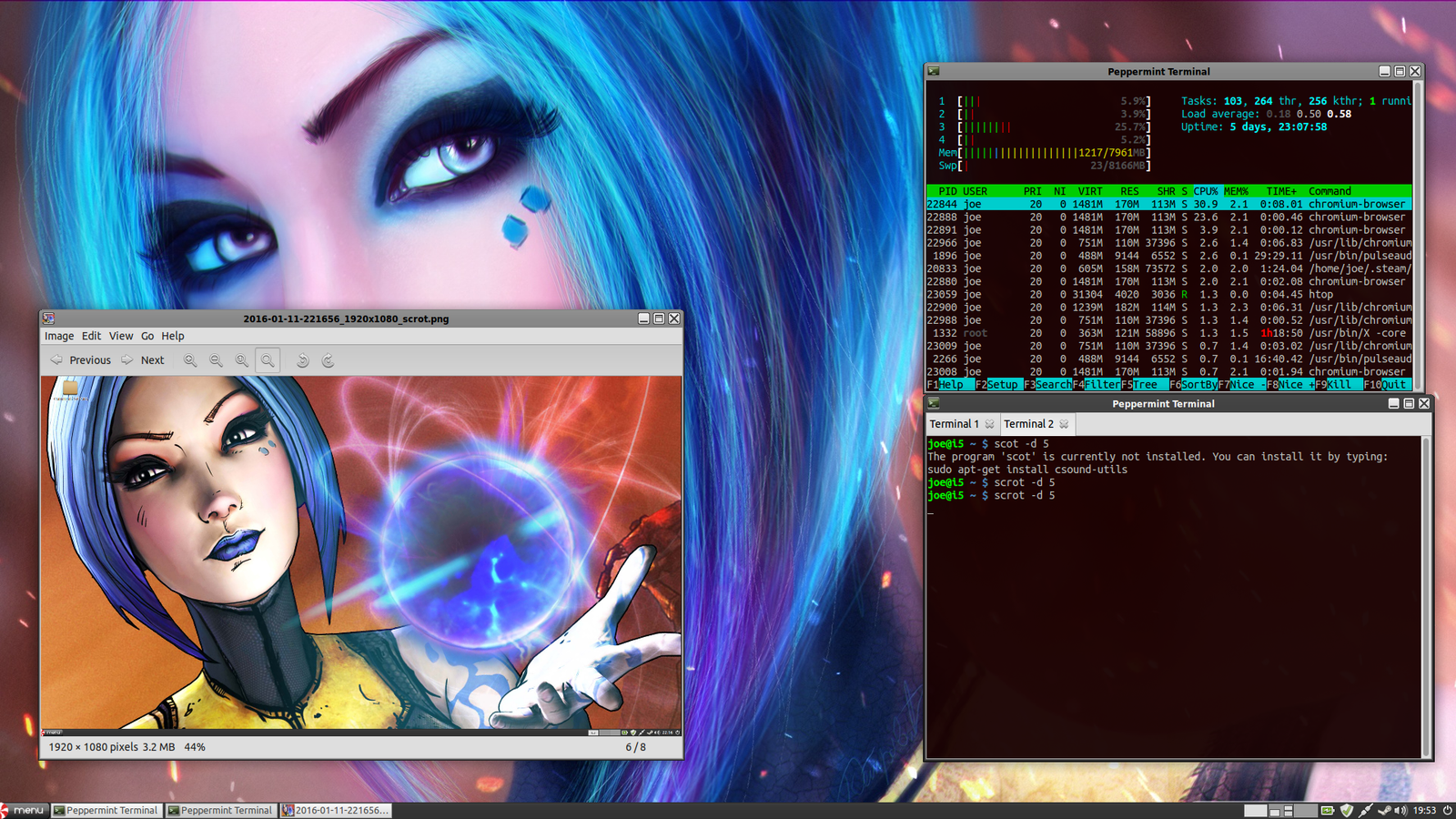
Screenshot of my Peppermint 6 desktop on January 13, 2026
Screenshot of my Peppermint 6 desktop on January 13, 2026
Screenshot of my desktop on January 11, 2026
Screenshot of my desktop on January 11, 2026
Peppermint Control Center
Peppermint Logo
Multi-tasking is easy in Peppermint.
Default Wallpaper of Peppermint 6
Last year Linux Voice magazine featured Peppermint OS in it's top distributions of 2015.
I'm still running Peppermint 5 on my netbook. It's based on Ubuntu 14.04 so technically it's still being supported.
Nice write up of Peppermint6…. hard to believe I left that other OS behind nearly 5 years ago now… the great gang at the forums have helped me keep machines running as far back as the mid 90’s thru to today’s install on a new ASUS ROG laptop… thanks to the ease of use of the software all the way back to the first release of peppermint I’ve not had to toss a single machine into the recycling bin…
Wow, I only started using it at version 3 and not regularly until 4. Today I have it on all my systems.
its been a great ride, day before yesterday I installed peppermintOne on a Compaq Presario M2000 laptop just for old times sake…. runs like a top on a machine i mostly never used due to its WinXP sp3 install being a bit too much for the old Pentium M processor to handle anymore… Now I’m happily copying my music archives to it as a nice back up copy…
Great writeup, and a glowing endorsement of Peppermint 6, Thanks Joseph much appreciated.
Rest assured we’ll not be moving to LXQt for Peppermint 7 in fact we *may* never move to it, that all depends on how it progresses and how well it integrates with other components .. LXDE is amazingly modular, allowing easy integration of non-LXDE components from other DE’s (which by the way all used Gtk), so unless we can integrate those (or similar) with LXQt without having both sets of dependencies……
Using LXQt could limit us to mainly KDE components (or a to an extent a doubling up on dependencies), with ISO size and lightness being two of our priorities that’s a bit of a no-no .. never say never, but at the moment a switch to LXQt looks difficult for Peppermint.
We do have options though .. amongst other things we could switch the few remaining core LXDE components (lxsession / lxpanel / lxappearance) to say their Xfce4 counterparts and integrate them into the Peppermint control panel, or we could maintain the few remaining LXDE components ourselves.
As you pointed out, one thing Peppermint isn’t afraid to do is cherry pick the best parts of other environments and try to make them a cohesive whole.
Anyway, thanks for taking part in the PM6 closed beta, we’ll give you a shout when the PM7 beta starts
Thanks for everything you do PCNetSpec and thanks for checking out my post. I’m always just a little excited when I boot up Peppermint knowing that we all took a part in its creation.
> I’m always just a little excited when I boot up Peppermint knowing that we all took a part in its creation.
You and me both mate, the beta testers and larger community as a whole are *everything* to Peppermint .. the beta testers are invaluable in making sure it all works properly and is bug free, something we simply could not do on our own .. and there’d not really be much point (or fun) to Peppermint without its community now would there ?
The cool thing is - I enjoy being a part of it too .. Peppermint for me is a mixture of good software and GREAT people, the former can be had from a few places, the combination is something special
” I can’t live without gedit, and gimp when I’m working and Peppermint has never disappointed me on a hard deadline.”
Couldn’t agree with you more ! I’ve been using Peppermint OS since version two. My real-life job requires me to travel all over the USA. When you’re 2,000 miles away from home, working out of hotel rooms, conference halls, airport terminals, and so forth, there’s nothing more comforting than booting up Peppermint, on my laptop, and knowing it won’t leave me stranded.
Great article ! Thanks, for posting.
Peppermint has pulled me out of some tough spots. Let’s just say my desktop at work is running another OS that creates more barriers than solutions.