Update: Groupon has abandoned the use of the Gnome name
Groupon announced a new product and service Gnome which if unchallenged tells corporations that they can abuse the names of Free/Libre and Open Source Software projects.
Show your support by taking screenshots of your favorite GNOME software and posting them on your social networks.
Be sure to #Groupon, #GNOMEProject and #DefendGNOME consider donating to the GNOME Project at https://gnome.org/groupon
Conky allows Linux users to easily place custom stat readouts right onto their desktop. With Conky Manager it’s now a little easier to manage a theme library and make alignment, time and transparency adjustments.
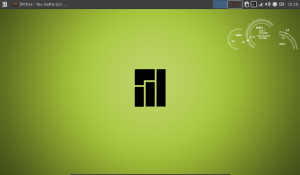
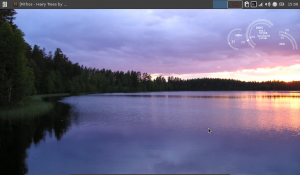
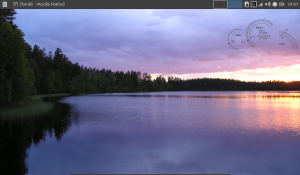
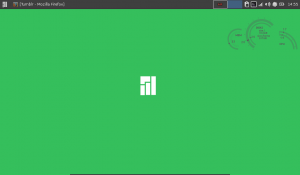
Today I played around with a cool Conky theme named “Conky HUD” and created a slightly modified fork for my netbook which you can download and hack away on Conky HUD: Light & Dark.
As soon as I created the dark theme I noticed it didn’t play nice with most of my desktops so a light version is also included.
Editing Conky can be a bit tricky at first and lua will not work by default unless you use conky-lua which enables the extra functionality like curves and opacity.
Here are a few links to get you started on Conky Lua CruchBang Forum
Finally spending some time working on my Blog, Ubuntu Studio Desktop and WordPress theme development.
LinuxBookPro.com 2026-05-01
Ubuntu Studio 14.04 Desktop
Wordpress 3.9
I’m currently building my own WordPress theme based on Foundation 5 by Zurb. My installation of Ubuntu Studio needs some love after I installed Ubuntu alongside it and botched some of the settings.
As for WordPress 3.9 it’s got some nice features that need to be explored.
The Linux Mint Project yesterday released an updated snapshot of their Debian spin-off taking advantage of the latest packages from Linux Mint 16 Petra. Cinnamon 2.0 and Mate 1.6 and all the various updates unique to Linux Mint.
LMDE users can expect a more stability at the cost of packages being adopted later.
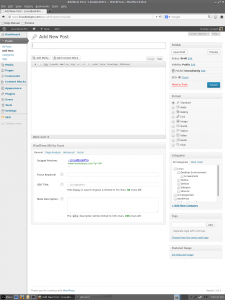
Having a desktop computer has it’s advantages when you want to get some actual work done. Especially when your WordPress Dashboard makes it’s best use of screen real estate when the extra pixels are at the bottom of the screen rather than the left and right side.
If you’re curious I’m working in Linux Lite right now.
Sabayon Linux is based on Gentoo and preconfigured for various architectures and desktop environments. The installation process is acomplished through the Anaconda GUI interface so there is no need to muck about in the command line. I went with the XFCE AMD 64 installation.
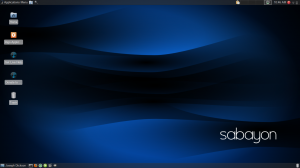
First boot after installation greeted me with the XFCE loign menu followed by the desktop customized by the Sabayon project to use 2 thin panels at top and bottom. The desktop environment is snappy, there is almost no delay opening a Thunar file manager window and is one of the fastest implementations of XFCE I’ve experienced.
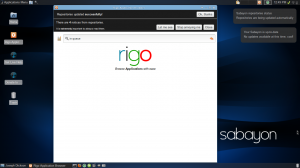
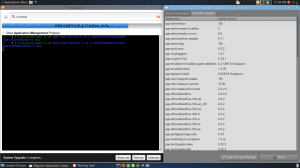
Sabayon doesn’t reinvent the desktop experinece. For instance using the XFCE version won’t install any qt applications instead opting for lightweight GTK-2 based packages. Under light web surfing in Midori while Rigo (Entrophy) update’s in the background things are eerily quiet. CPU processes are so low (2%) that my fan remains idle. I’m expecting this to lead to some minor battery savings.
Fast, so far stable and economical on power usage what are the downsides?
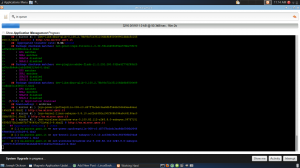
Sitting through an initial update process that takes a few hours can lead to frustration. Sabayon can have hundreds of updates including the package management software which all get. It certainly helps to review the documentation on the wiki throughout the installation process to prevent delays and choose whether to opt for Gentoo’s Portage or Sabayon’s Entrophy to manage your packages.
Entrophy, Sabayon’s Pre-compiled offerings vs Portage Gentoo’s source based software. You get to choose!
Compiling packages from source has stable results however, the entire process does take a long time.
For instance compiling and installing Chromium via Gentoo’s Portage package manger took nearly an hour. Installing the pre-compiled version via Entrophy was quick; maybe a couple minutes. They do warn to choose one package manager and stick to it as swapping back and forth could make the system unstable due to the different versions of packages and dependencies.
The actual compiling of the packages does dominate CPU resources so keep that in mind. Laptop users will want to plug in their system during updates if going the Portage route.
In all my system works beautifully. Wi-fi and hotkeys worked upon installation.
Sabayon’s FAQ wiki page has a great rundown of the differences between their distribution and others like Debian or Ubuntu.
The ability to choose between the two is what really makes Sabayon shine. You can take it easy with Entropy or learn the power of Gentoo via Portage. Portage tells us exactly what we need to do in most cases to get everything to compile politely. So anyone interested in Gentoo can simply install Sabayon and use Portage for everything else. Or take it easy and trust the wonderful Rigo updater or Entrophy if using the command line.
Final Thoughts
In all Sabayon is both a good departure from Ubuntu or Linux Mint and can be customized manually or left as is. Each .iso is optimized for it’s own desktop environment’s best offerings whether that’s Gnome, KDE, XFCE, or MATE.
I tested Sabayon on a System76 Lemur Ultra and found it very responsive, battery power was at about 4hrs which is common for this make and model. The only glitches I have experienced is a relatively slow wifi connection, I suspect there is a bottleneck somewhere but haven’t identified if the cause.
Sabayon is the best example of both Gentoo simplified and a great introduction to multiple desktop environments.
 Update: Groupon has abandoned the use of the Gnome name